Facebook API Permissions and App Review
Three Page permissions work immediately, three need App Review, and they depend on each other in ways that turn one submission into three. Maps the dependency graph, what reviewers actually check, and how to detect declined permissions at runtime. Plus what our own review took: 43 submissions.
 Facebook Page permissions come in two groups: three you can use immediately, and three that require App Review. They also depend on each other - you cannot request
 pages_manage_posts on its own, because it pulls in pages_read_engagement and pages_show_list as prerequisites. Getting the dependency graph right is the difference between one review submission and three. This guide covers what each permission does, what review actually asks for, and how to check what a user really granted.
The permission dependency table
This is the table that decides your rollout order.
| Permission | What it allows | App Review? | Prerequisites |
|---|---|---|---|
pages_show_list | List the Pages a person manages; verify Page ownership | No | - |
pages_read_engagement | Read posts, photos, videos, events, follower data, Page metadata and insights | No | pages_show_list |
pages_read_user_content | Read user-generated content - visitor posts, comments, ratings - and delete user comments | No | pages_show_list |
pages_manage_posts | Create, edit and delete Page posts, photos and videos | Yes | pages_read_engagement, pages_show_list |
pages_manage_engagement | Create, edit and delete comments as the Page; like and unlike Page posts | Yes | pages_read_user_content, pages_show_list |
business_management | Manage business assets such as ad accounts | Yes | pages_read_engagement, pages_show_list |
Three consequences worth planning around.
Half of these need no review at all. You can build and demo a read-only integration - list Pages, show posts, display engagement - before submitting anything. That matters, because App Review wants to see a working product, and a working product is easier to build when three permissions are already available.
Prerequisites are not suggestions. Requesting pages_manage_posts without pages_read_engagement and pages_show_list in the same authorisation is a configuration error, not a smaller ask. Include the full set in your login scope.
Comment moderation and post publishing sit on different branches. pages_manage_posts depends on pages_read_engagement; pages_manage_engagement depends on pages_read_user_content. A product doing both requests four permissions across two chains, and reviewers assess each one separately.
What you need, by use case
| Product does | Permissions to request | Reviewed? |
|---|---|---|
| Show which Pages a user manages | pages_show_list | No |
| Read-only analytics dashboard | pages_show_list, pages_read_engagement | No |
| Read comments and visitor posts | pages_show_list, pages_read_user_content | No |
| Publish and schedule posts | pages_show_list, pages_read_engagement, pages_manage_posts | Yes |
| Reply to and moderate comments | pages_show_list, pages_read_user_content, pages_manage_engagement | Yes |
| Publishing and moderation | All five above | Yes, both branches |
Request the minimum for what you ship today. Asking for pages_manage_engagement when your product only publishes reads as overreach and can sink the whole submission - including the permission you actually needed.
Standard Access and Advanced Access
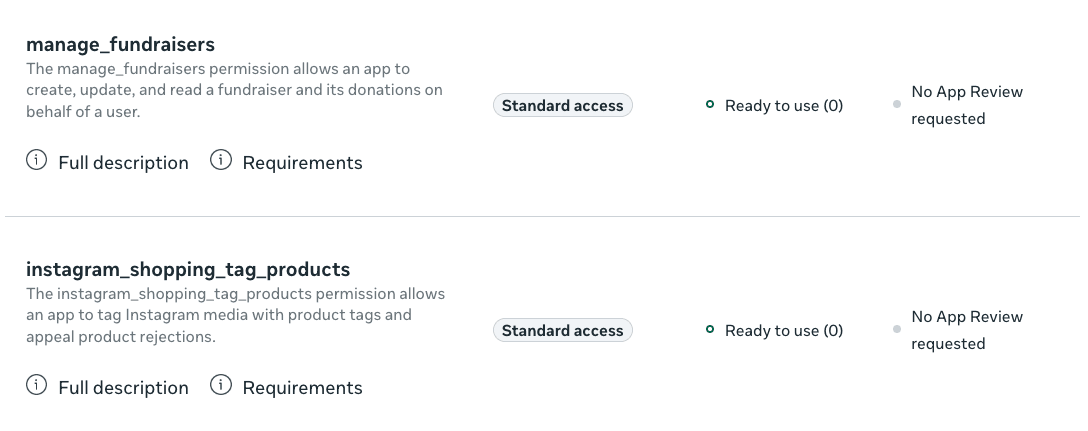
Every permission has two access levels, and this catches nearly everyone.
Standard Access works only against assets your own developer account owns. Your code runs, your tests pass, your demo works. Then you point it at a customer's Page and get an empty array or a #10 API Permission Denied. Nothing is broken - you are simply outside the assets Standard Access covers.
Advanced Access lets your app operate on other people's Pages. It requires App Review, and it requires Business Verification - proving your business is real, with documentation. Business Verification runs on its own timeline and is a common hidden blocker: teams pass App Review and then wait again.
Start Business Verification early. It is independent of your code and there is no reason to serialise it behind development. Which access level each permission needs is listed in Meta's permissions reference.
Check what was actually granted
The login dialog is not all-or-nothing. Users can decline individual permissions while accepting others, and your app will not be told at authorisation time. Ask afterwards:
curl -G "https://graph.facebook.com/v26.0/me/permissions" \
  -d "access_token=${USER_TOKEN}"
{
  "data": [
    { "permission": "pages_show_list", "status": "granted" },
    { "permission": "pages_read_engagement", "status": "granted" },
    { "permission": "pages_manage_posts", "status": "declined" }
  ]
}
The endpoint returns granted and declined permissions. A connection flow that does not read this will happily store the token, show the customer a green checkmark, and then fail on their first scheduled post - hours or days later, with no obvious cause.
Do this instead: after the OAuth callback, fetch permissions, compare against what your product needs, and if anything required is declined, keep the user in the connection flow with a specific message naming the missing permission. Fixing it takes them ten seconds at that moment and a support ticket later.
Users can also revoke permissions after the fact, from Facebook's own settings or through your app:
curl -X DELETE "https://graph.facebook.com/v26.0/${USER_ID}/permissions/pages_manage_posts" \
  -d "access_token=${USER_TOKEN}"
A successful call returns true. Offering revocation in your own settings UI is good practice and reviewers look favourably on it.
The app review process takes 1–3 weeks and involves at least one rejection. We’ve already been through that.
bundle.social
App review, permissions and page roles are a process we have already been through.
Three upload hosts and two auth header words, handled behind one endpoint.
App Review: what gets rejected

Review is a human watching a recording. Optimise for that.
What you submit: a screencast of the complete user journey, a written justification per permission, working test credentials, a reachable privacy policy, and a data deletion callback.
The rejections that repeat:
The screencast does not show the permission being used. Reviewers need to see the Facebook Login dialog, the consent screen listing the permission, and then the feature that consumes it. A product tour without the login flow fails. Record the whole path, including the parts that feel obvious.
Test credentials that do not work. An expired trial account, an account with no connected Page, or a signup flow requiring email verification the reviewer cannot complete. Create a dedicated review account, connect a real Page to it, and check it the day you submit.
Asking for more than the demo shows. Every requested permission needs a visible moment in the recording. If you cannot show it, remove it from the submission.
No working data deletion callback. It must respond, and your privacy policy must describe deletion in plain language. This is checked.
Vague justifications. "We need this to manage social media" is not a reason. "Our scheduling calendar creates Page posts at times the user selects, shown at 1:12 in the video" is.
Expect one to three weeks, and expect at least one rejection. Build the review submission before you need it, not after.
What it actually took us
Our own approval took 43 submissions over roughly 8 weeks.
That number needs context, because it says as much about Meta's process as about ours. At the time, review turnaround was a day or two, so 43 attempts across 8 weeks was possible - resubmit, get rejected the next morning, adjust one thing, resubmit. It became a tight iteration loop rather than a series of month-long waits. That loop no longer exists. Turnaround has stretched considerably since, which inverts the strategy completely: when each round costs days or weeks instead of a day, brute-forcing your way through is no longer available. Every submission has to count.
The most common reason we were rejected was not a missing callback or a broken test account. It was the reviewer not understanding what they were looking at - a language and clarity gap between what our screencast showed and what the reviewer needed to see demonstrated. The fix was not technical. It was narrating the video explicitly, adding on-screen captions naming each permission at the moment it is used, and writing justifications that point at timestamps rather than describing features in the abstract.
If you take one thing from this: assume the reviewer has no context, limited time, and may not share your first language. Build the submission for that person. Under today's turnaround, the cost of an ambiguous screencast is no longer one day - it is your entire launch window.
Handling declined permissions at runtime
Permissions are not permanent. A user can revoke, an admin can change roles, or Meta can change what a permission covers during a version migration. Design for it.
| Symptom | Cause | Response |
|---|---|---|
Error #10 | Permission not granted or removed | Prompt re-authorisation for the specific permission |
Error #200–#299 | A named permission is missing | Map the code to the permission and re-request |
Error #190 subcode 492 | User lost their role on the Page | Not a permission problem. Tell the customer who to re-add |
| Empty result, no error | Standard Access against a Page you do not own | Advanced Access required |
That last row is the one that wastes days. An empty array is not an error, and it looks exactly like "this Page has no posts". If your integration works for your own Page and returns nothing for customers, check your access level before you debug anything else.
The full error taxonomy is in our Facebook Graph API guide, and token-specific failures are covered in Facebook Page access tokens.
The shorter path
Permission chains, two access levels, Business Verification, a screencast, a data deletion endpoint, and a review cycle measured in weeks - before your first customer publishes anything. Then the same again for Instagram, and a different process entirely for LinkedIn.
bundle.social's Facebook API integration is already reviewed and verified. Your users connect their Page through a hosted flow, and you get a connection that either works or tells you precisely why it does not. No submission, no screencast, no waiting.
Post to Facebook without App Review, here
FAQ
Which Facebook permissions require App Review?
pages_manage_posts, pages_manage_engagement and business_management. pages_show_list, pages_read_engagement and pages_read_user_content do not.
Can I publish to a Page without App Review?
Only to Pages your own developer account manages, under Standard Access. Publishing to a customer's Page requires pages_manage_posts with Advanced Access, which requires review and Business Verification.
Why does my integration return an empty array instead of an error? Almost always Standard Access applied to a Page you do not own. It is not an error condition, which is what makes it confusing.
How do I know if a user declined a permission?
Call GET /me/permissions after authorisation. It returns each permission with a granted or declined status. The login callback alone does not tell you.
How long does Facebook App Review take? Typically one to three weeks per submission, plus Business Verification on a separate timeline. Plan for at least one rejection.
Can users revoke permissions later?
Yes, from Facebook settings or through your app via DELETE /{user-id}/permissions/{permission-name}. Handle #10 and #200–#299 at runtime rather than assuming a granted permission stays granted.
